AT A GLANCE
The product in context.
My Buddy K is a folding, adjustable laptop support for a temporary desk. Its open structure raises and tilts the computer without adding a powered cooling accessory. It is most useful when paired with a stable surface and a comfortable keyboard position.
This is a researched editorial overview based on the linked manufacturer information. This product is not in the owner’s collection and has not been tested by GadgetsBag. Pros, cons and the assessment are provisional, not firsthand findings.
A CLOSER LOOK
Photo gallery.
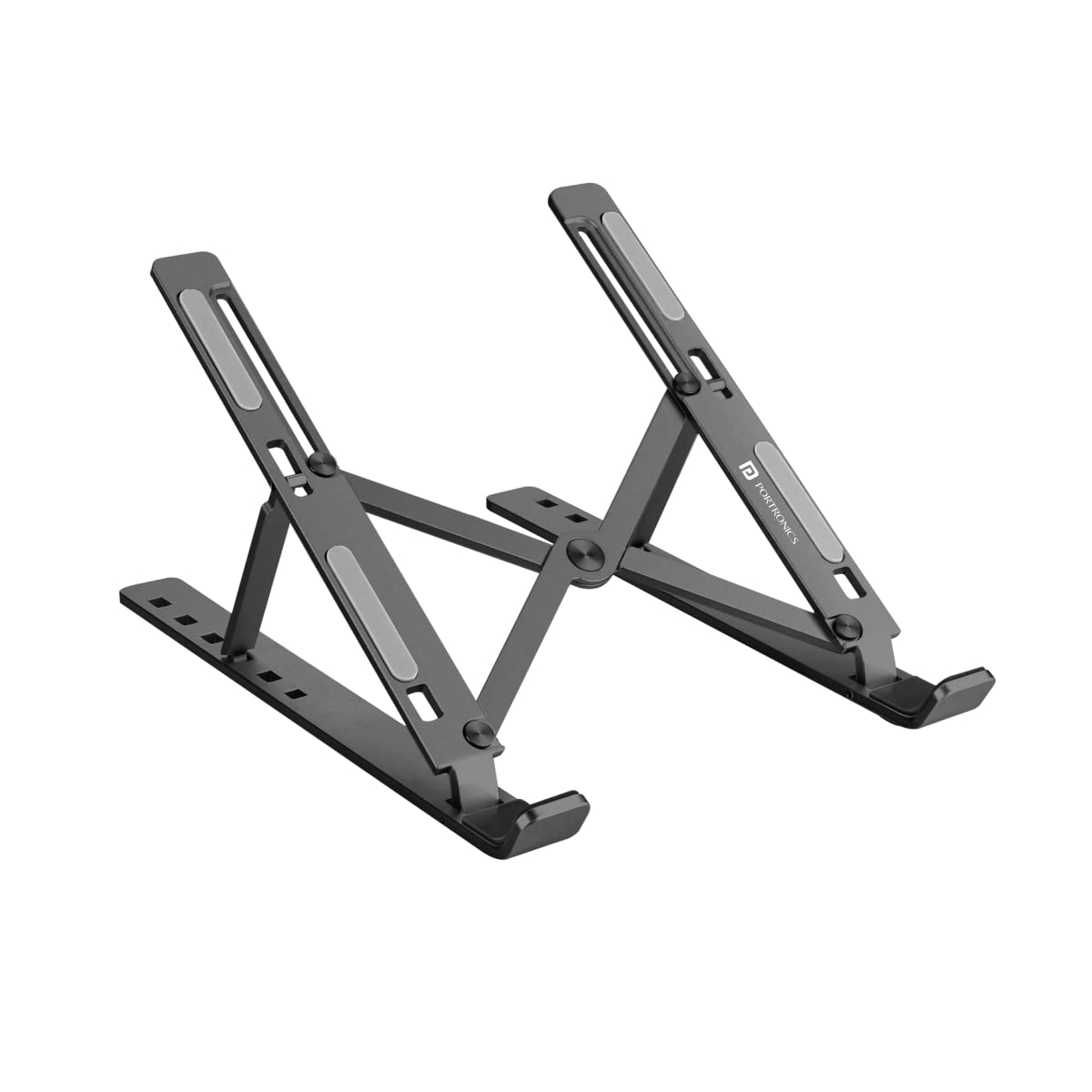
Image 1 of 4
Choose a thumbnail, then tap the large photo to enlarge it. Use the viewer arrows or swipe to explore. Product imagery is credited to its source.
THE PUBLISHED DETAILS
Product specifications.
- Variant
- Grey · My Buddy K
- Design
- Foldable open-frame laptop stand
- Adjustment
- Multiple height/angle settings
- Contact points
- Anti-slip pads, as shown in product imagery
- Construction
- Metal frame; manufacturer illustration describes aluminium alloy
- Power
- Passive support; no powered fan
Source: Product specifications and feature notes ↗. Manufacturer or listing claims are not our measurements. Check the exact regional variant.
THE PRACTICAL PERSPECTIVE
Overall review.
Fit the laptop, not just its screen size
Look at the laptop’s footprint, lower ventilation openings and contact points. The front retainers should support the chassis without obstructing ports or digging into your wrists. A laptop stand needs a firm desk; soft bedding or an unstable lap defeats that support.
Build a comfortable working setup
Raising the screen can make a temporary desk easier to arrange, but a steeply tilted keyboard may not suit prolonged typing. Consider a separate keyboard and mouse when you raise the computer significantly. Adjust the setup to your posture rather than expecting the stand to fix discomfort by itself.
Open space is not an active cooler
The open frame leaves more space around the underside. It contains no fan, and GadgetsBag has not measured temperature changes or stability. Confirm the locking position before placing the laptop, and fold the frame carefully when packing.
Sources and related reading
WEIGH THE TRADE-OFFS
Pros & cons.
Based on published features and editorial assessment; not test results.
Pros
- Folds down for transport
- Adjustable support for temporary desks
- No cable, battery or fan needed
Cons
- Requires a firm, level surface
- Higher settings may call for an external keyboard
- Stability and cooling claims have not been tested here
Who is it for?
Worth considering for
- Travellers working from hotel desks or shared workspaces
Think about first
- Laptop base dimensions and vent positions
- Desk stability
- External input devices for longer work
THE TAKEAWAY
Our assessment.
A simple addition for a more considered travel desk. Check chassis fit and stability before relying on it for daily work.
Provisional assessment · Hands-on testing pendingWhat we still need to test.
These checks will help turn the initial assessment into a hands-on review.
- Stability while typing
- Retainer fit and folding action
Read our editorial policy.