AT A GLANCE
The product in context.
The Archer T3U Plus adds dual-band Wi-Fi to a computer through USB-A. The adjustable antenna makes it an option for a desktop without Wi-Fi or an older laptop whose internal wireless adapter is unreliable.
This is a researched editorial overview based on the linked manufacturer information. This product is not in the owner’s collection and has not been tested by GadgetsBag. Pros, cons and the assessment are provisional, not firsthand findings.
A CLOSER LOOK
Photo gallery.
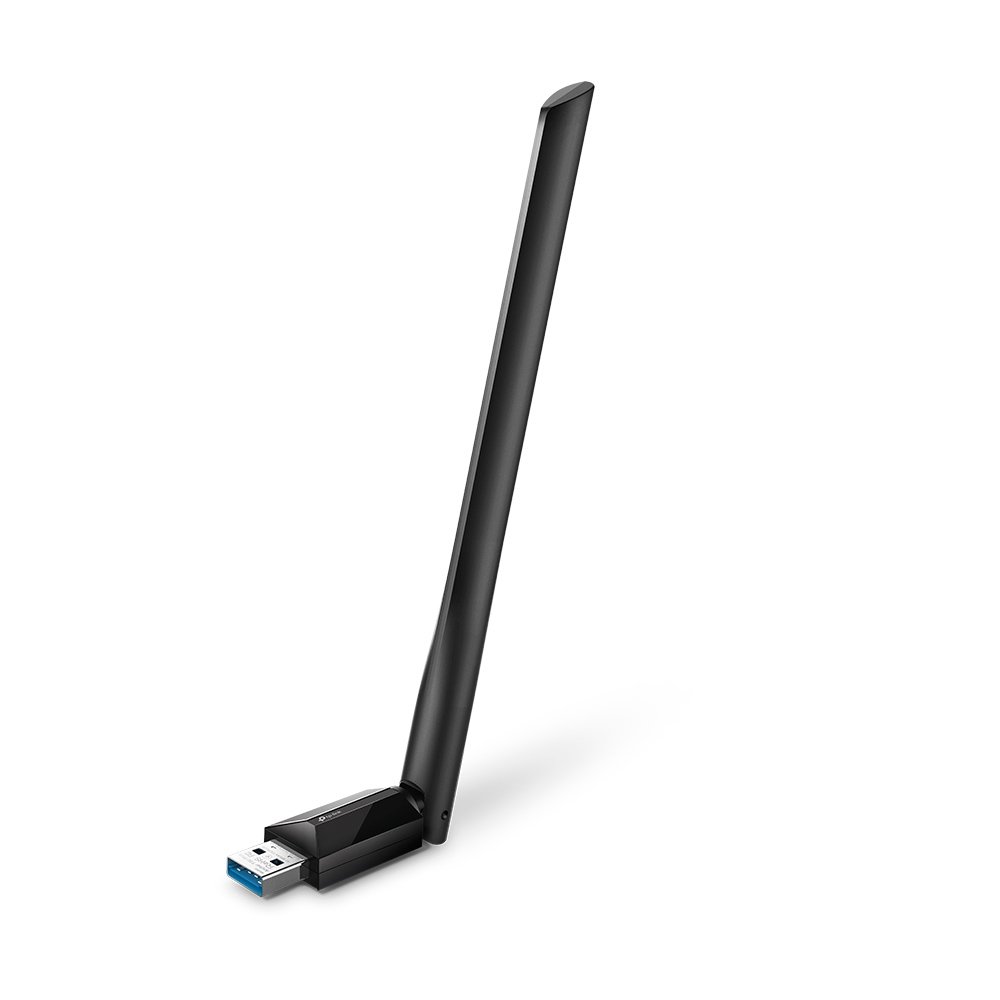
Image 1 of 3
Choose a thumbnail, then tap the large photo to enlarge it. Use the viewer arrows or swipe to explore. Product imagery is credited to its source.
THE PUBLISHED DETAILS
Product specifications.
- Model
- Archer T3U Plus
- Wireless standard
- Wi-Fi 5 (802.11ac)
- 5GHz maximum link rate
- 867Mbps
- 2.4GHz maximum link rate
- 400Mbps
- Interface
- USB 3.0 Type-A
- Antenna
- Adjustable high-gain external antenna
- Driver support
- Check TP-Link downloads for your exact hardware revision and operating system
Source: Manufacturer specifications and feature notes ↗. Manufacturer or listing claims are not our measurements. Check the exact regional variant.
THE PRACTICAL PERSPECTIVE
Overall review.
Check driver support before buying
TP-Link publishes drivers by hardware revision. Check the download page for your operating system and save the installer in advance if this computer already has trouble getting online.
Allow room around the port
The hinged antenna projects from the USB socket. At a desk, leave enough clearance to adjust it, especially if the computer sits against a wall or other cables use adjacent ports.
Choose a band for the room
Try 5GHz when the router is close. Test 2.4GHz if walls weaken the signal. The advertised numbers are maximum Wi-Fi link rates. Internet throughput depends on the router, interference and your connection.
Sources and related reading
WEIGH THE TRADE-OFFS
Pros & cons.
Based on published features and editorial assessment; not test results.
Pros
- Adds 2.4GHz and 5GHz Wi-Fi to a compatible USB-A computer
- External antenna can be angled for the desk setup
- USB 3.0 interface
Cons
- Wi-Fi 5 hardware lacks Wi-Fi 6 features
- Antenna needs more space than a low-profile dongle
- Operating-system support depends on the hardware revision and driver
Who is it for?
Worth considering for
- Desktops without built-in Wi-Fi
- Travellers who want a spare Wi-Fi adapter for a compatible laptop
Think about first
- USB-A port and clearance
- Driver support for the exact system
- Whether the router can provide a strong enough signal
THE TAKEAWAY
Our assessment.
The T3U Plus is useful if you need to add Wi-Fi to a computer with USB-A and room for an antenna. Confirm the driver and hardware revision before ordering.
Provisional assessment · Hands-on testing pendingWhat we still need to test.
These checks will help turn the initial assessment into a hands-on review.
- Speed on each band at fixed distances
- Reconnect behaviour after sleep
- Driver installation on a supported computer
Read our editorial policy.