AT A GLANCE
The product in context.
The White UE300C adds an RJ45 Ethernet connection through a USB-C port. Its folding lead makes it a small addition to a work-travel kit, provided the destination has an active wired network and your device supports the adapter.
This is a researched editorial overview based on the linked manufacturer information. This product is not in the owner’s collection and has not been tested by GadgetsBag. Pros, cons and the assessment are provisional, not firsthand findings.
A CLOSER LOOK
Photo gallery.
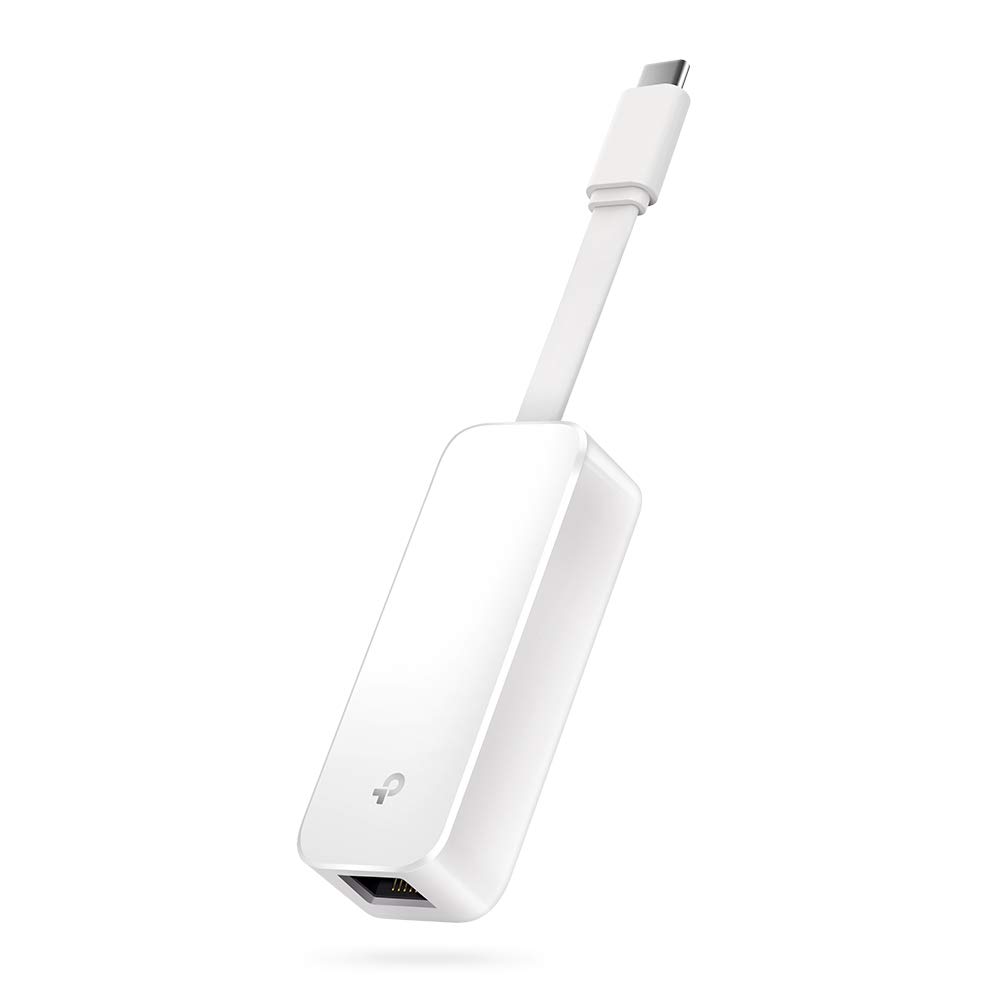
Image 1 of 4
Choose a thumbnail, then tap the large photo to enlarge it. Use the viewer arrows or swipe to explore. Product imagery is credited to its source.
THE PUBLISHED DETAILS
Product specifications.
- Model
- UE300C
- Host connection
- USB Type-C · USB 3.0
- Network port
- RJ45 Gigabit Ethernet
- Link-rate ceiling
- Up to 1,000Mbps; not a guaranteed internet speed
- Packing feature
- Foldable cable design
- Compatibility
- Check the exact hardware revision and operating system on TP-Link support
Source: Product specifications and feature notes ↗. Manufacturer or listing claims are not our measurements. Check the exact regional variant.
THE PRACTICAL PERSPECTIVE
Overall review.
Start with the network available at the destination
An Ethernet adapter is useful only when there is a working network port you are allowed to use. A socket in a hotel room may be inactive or require a login. Confirm that arrangement before relying on wired access for an important meeting; pack an appropriate Ethernet lead as part of the kit.
Separate link rate from internet speed
The 1,000Mbps figure describes the adapter’s network capability under suitable conditions. The router, switch, cable, internet plan and USB connection can all reduce the useful speed. This adapter cannot make a slow upstream connection faster simply by replacing Wi-Fi.
Check device support before departure
Match the model and hardware revision to TP-Link’s current support page and your operating system. Test a full connection at home rather than assuming every USB-C phone or tablet will work. The adapter also occupies a USB-C port without adding a charging pass-through, which matters on a device with only one port.
Sources and related reading
WEIGH THE TRADE-OFFS
Pros & cons.
Based on published features and editorial assessment; not test results.
Pros
- Adds wired networking to a compatible USB-C device
- Gigabit-capable RJ45 port
- Folding lead helps with packing
Cons
- Requires an active wired network and Ethernet lead
- Device and operating-system support must be checked
- No charging pass-through or extra USB ports
Who is it for?
Worth considering for
- Laptop travellers who can make use of an available wired network
Think about first
- Exact USB-C device and OS compatibility
- Active network access at the destination
- Other uses for the occupied USB-C port
THE TAKEAWAY
Our assessment.
A focused accessory for a compatible work-travel setup. GadgetsBag has not measured throughput or tested hotel-network access.
Provisional assessment · Hands-on testing pendingWhat we still need to test.
These checks will help turn the initial assessment into a hands-on review.
- Connection on your operating system
- Speed and reliability on a known network
Read our editorial policy.