AT A GLANCE
The product in context.
This overview covers the Galaxy Tab S10+ Wi-Fi model with 12GB RAM and 256GB storage in Platinum Silver. It has a 12.4-inch Dynamic AMOLED 2X display and an included S Pen. It is a different tablet from the owner’s standard Tab S9, and has not been tested by GadgetsBag.
This is a researched editorial overview based on the linked manufacturer information. This product is not in the owner’s collection and has not been tested by GadgetsBag. Pros, cons and the assessment are provisional, not firsthand findings.
A CLOSER LOOK
Photo gallery.
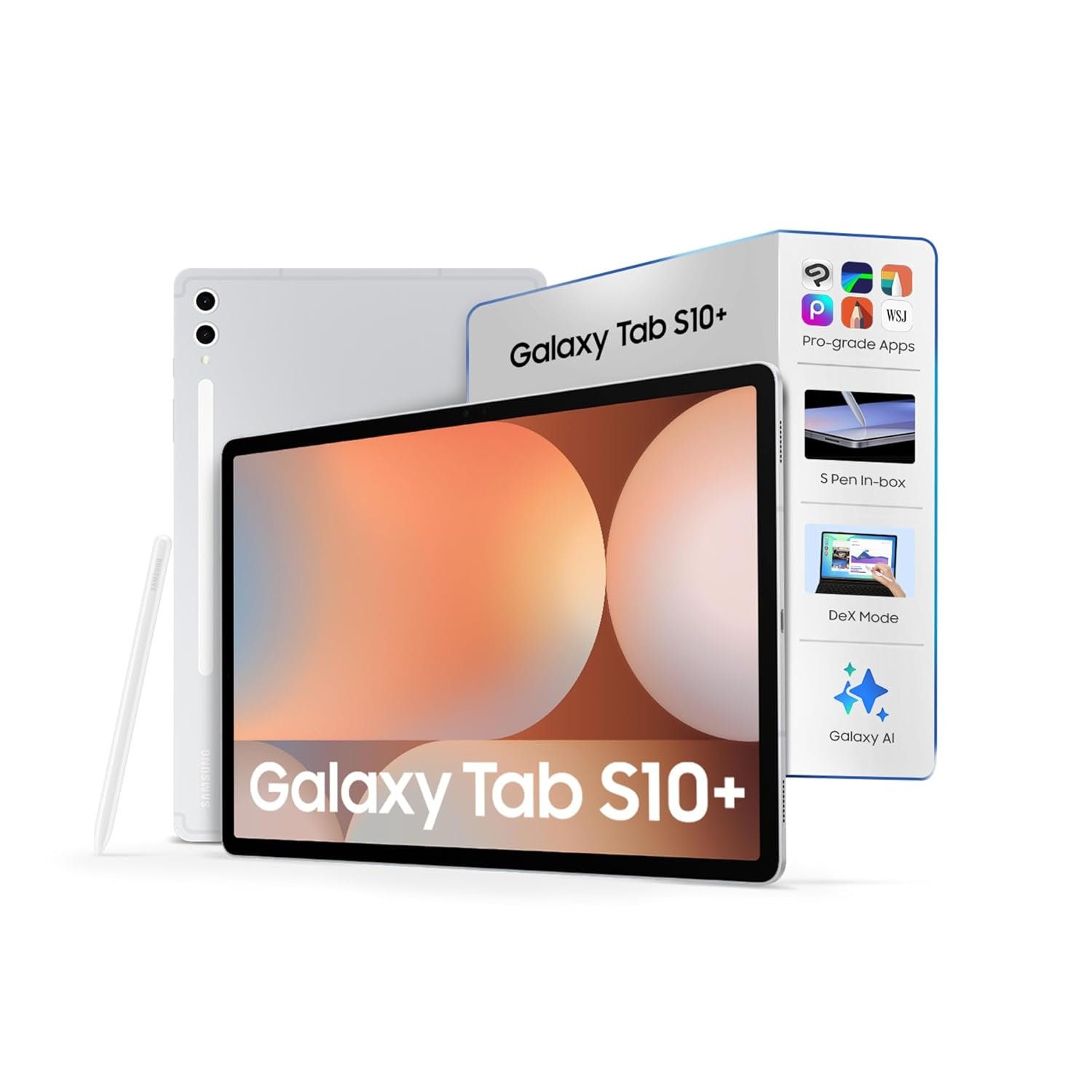
Image 1 of 4
Choose a thumbnail, then tap the large photo to enlarge it. Use the viewer arrows or swipe to explore. Product imagery is credited to its source.
THE PUBLISHED DETAILS
Product specifications.
- India model reference
- SM-X820NZSAINS — Wi-Fi
- Memory / storage
- 12GB RAM / 256GB storage
- Display
- 12.4-inch Dynamic AMOLED 2X; 2800 × 1752
- Expandable storage
- MicroSD, up to 1.5TB according to Samsung
- Input
- S Pen included
- Rear / front cameras
- 13MP + 8MP rear / 12MP front
- Battery
- 10,090mAh typical capacity
- Dimensions / weight
- 185.4 × 285.4 × 5.6mm / 571g
- Connectivity
- Wi-Fi 6E, Bluetooth 5.3, USB 3.2 Gen 1
- Colour covered
- Platinum Silver
Source: Samsung India Wi-Fi model specifications ↗. Manufacturer or listing claims are not our measurements. Check the exact regional variant.
THE PRACTICAL PERSPECTIVE
Overall review.
A larger screen needs a clear job
A bigger canvas can give an itinerary, drawing or document more breathing room. Decide where you expect to use the tablet: a screen that works well on a table can be less convenient to hold while standing or travelling. Consider the case, stand and total packed size alongside the device itself.
Plan connectivity before leaving
This linked version is Wi-Fi only. Plan how you will access the documents, maps or media you need away from a connection, and check which apps support downloads. A phone hotspot may be an option where available; it also changes what you ask of your phone and charging kit.
Check the work before buying the hardware
Try your actual apps and file formats before treating any tablet as a laptop replacement. Account requirements, subscriptions and accessory purchases can change the complete cost. We have not tested app compatibility, pen latency or battery endurance on this model, so those remain open questions.
WEIGH THE TRADE-OFFS
Pros & cons.
Based on published features and editorial assessment; not test results.
Pros
- Large AMOLED display for reading and workspace
- Included S Pen and expandable storage
- 12GB RAM and 256GB configuration clearly identified
Cons
- Wi-Fi model has no built-in mobile data connection
- Large format and case can add bulk to a day bag
- No GadgetsBag battery, pen or app testing yet
Who is it for?
Worth considering for
- Readers who want a larger display for documents and planning
- People who will use handwritten input
- Buyers whose apps and workflow suit an Android tablet
Think about first
- Packed dimensions and the weight of a case or stand
- Offline access when Wi-Fi is unavailable
- The total cost of the intended accessories and apps
THE TAKEAWAY
Our assessment.
A tablet to consider when a larger display and pen input fit your actual tasks. Confirm the Wi-Fi variant and complete accessory cost. Readers satisfied with a smaller tablet should weigh the extra carrying space before changing models.
Provisional assessment · Hands-on testing pendingWhat we still need to test.
These checks will help turn the initial assessment into a hands-on review.
- App and document compatibility in an actual travel workflow
- Pen comfort and responsiveness during extended note-taking
- Battery use with documented display and connection settings
- Handling with the intended case and stand
Read our editorial policy.