AT A GLANCE
The product in context.
A tablet sits between the phone that is always with you and a laptop you may not want to pack. The standard Galaxy Tab S9 brings an 11-inch display and an included S Pen to that middle ground.
This is a specification-based editorial overview of an item in the owner’s collection. It is not a completed hands-on test. Pros, cons and the provisional assessment reflect published features and practical trade-offs; measured findings will be added when documented.
A CLOSER LOOK
Photo gallery.
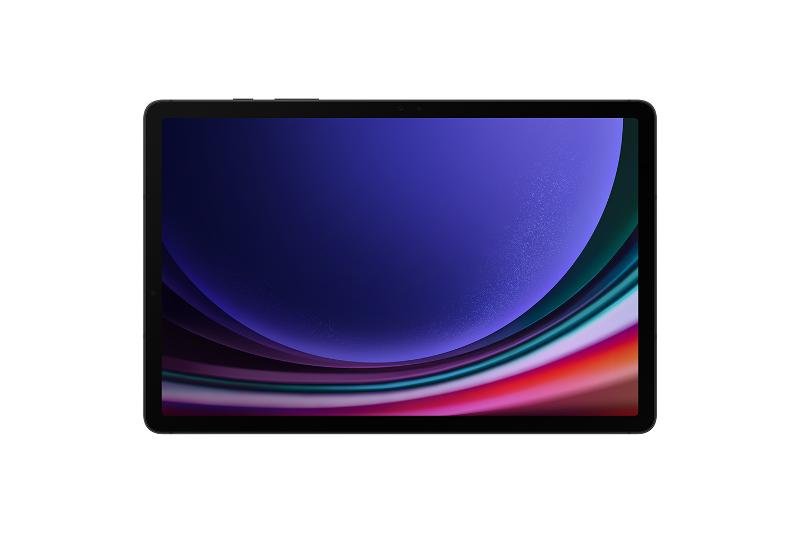
Image 1 of 5
Choose a thumbnail, then tap the large photo to enlarge it. Use the viewer arrows or swipe to explore. Product imagery is credited to its source.
THE PUBLISHED DETAILS
Product specifications.
- Display
- 11-inch Dynamic AMOLED 2X
- Processor
- Snapdragon 8 Gen 2 for Galaxy
- Pen
- S Pen included
- Collection storage / connection
- Variant to be confirmed
Source: Published product information ↗. Manufacturer or listing claims are not our measurements. Check the exact regional variant.
THE PRACTICAL PERSPECTIVE
Overall review.
Planning with a little more room
Reading a long itinerary, comparing places and keeping notes can be easier to arrange on a larger screen. Whether the tablet earns its place comes down to the tasks that feel cramped on your phone and the apps you already use.
The extra device question
A tablet also adds another screen to protect and another battery to charge. If the phone already handles everything you need, leaving it at home may be the lighter choice. A keyboard or stand changes both its usefulness and the amount of kit to carry.
Confirm the variant before following a setup
The standard Tab S9 is different from the S9 FE, S9+ and S9 Ultra. Storage and connectivity also vary. This page concerns the standard 11-inch S9; the owner’s specific storage and Wi-Fi or cellular variant still need confirming.
WEIGH THE TRADE-OFFS
Pros & cons.
Based on published features and editorial assessment; not test results.
Pros
- 11-inch display for reading and planning
- Included S Pen
- A larger screen alongside the phone
Cons
- Adds another device to protect and charge
- Accessories increase packed size and weight
- May duplicate tasks already covered by the phone
Who is it for?
Worth considering for
- Reading and organising detailed itineraries
- Handwritten notes using the included S Pen
- People whose apps work well on a tablet
Think about first
- Whether it duplicates your phone’s role
- The extra weight of a cover or keyboard
- Storage and connectivity for your exact variant
THE TAKEAWAY
Our assessment.
Worth carrying when a larger screen or pen improves the tasks you actually do. If a phone already covers the itinerary and entertainment, the extra device may be unnecessary. Confirm the storage and connectivity variant before copying a setup.
Provisional assessment · Hands-on testing pendingWhat we still need to test.
These checks will help turn the initial assessment into a hands-on review.
- Planning a trip using the apps normally used
- Battery use during downloaded media playback
- Packed weight including the actual cover
Read our editorial policy.